GIF Maker - Make a GIF from Video or Photos, No Watermark
Add videos, photos or GIFs, set the timing, add text or an effect, and download one GIF. No watermark, no sign-up, nothing uploaded.
ⓘ All Your Images Are Not Of Equal Size.

Add Blank Space
Add Text On Frame
Remove Frames
Edit Frames
 Crop
Crop Frame
 Flip
Flip Horizontal
 Flip
Flip Vertical
 Rotate
 Frame
 Trim
Trim Frames
Add Animation on Frame
Starting Animation
For example:- Add a three second fade-in animation at the start of the video.
Animation at the End
For example:- Add a three second fade-out animation at the end of the video.
 Download
This GIF maker turns videos, photos or other GIFs into one animated GIF in your browser, with no watermark and no sign-up. Add the files, set the frame rate for a video or the delay for each photo, add a caption or one of 15 effects, and click Make GIF Image. Nothing is uploaded.
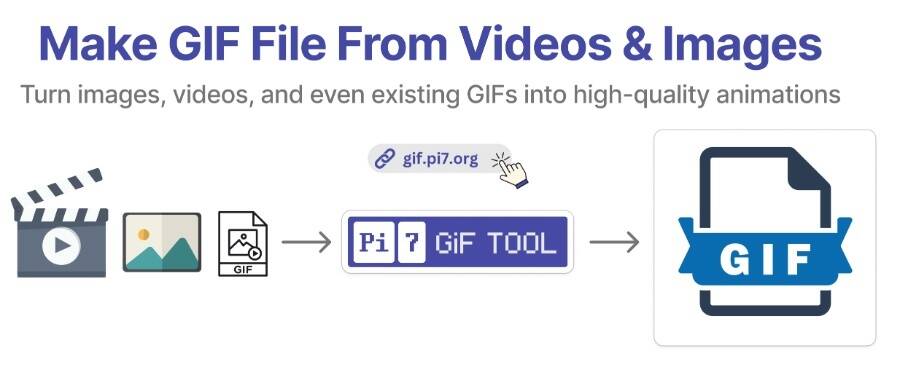
How do I make a GIF from videos or photos?
- Select Images or Videos. Click the button or drop files on the box. Add More Files brings in another batch, and a mix of photos, videos and GIFs is fine.
- Put the rows in order. Each file gets a row with up and down arrows. The GIF plays in the order you see on screen.
- Set the timing. A photo row has a Frame Delay box in seconds, set to 2 at first. A video row has an FPS box that takes 1 to 60. A GIF row keeps the timing it came with.
- Edit, write or animate (optional). Every row has Edit for Crop Frame, Flip Horizontal, Flip Vertical and Rotate Frame, Write On Image for a caption in 48 fonts, and Add Effect for the 15 effects.
- Make GIF Image. If the files are not all the same size, pick Scale Fit or Align in Middle first. A Download button appears with the size next to it, and a compressed copy is offered as well.
Working from photos only? The images to GIF maker is the same engine set up for that: one delay for every photo, and PNG transparency kept in the output. Starting from a clip? The video to GIF converter page walks through the video steps, from the FPS box to taking frames out.
Is there a watermark?
No. The GIF you download holds only your frames. There is no logo, no sign-up and no limit on how many GIFs you make. The maker runs on your device, so there is no plan to move up to and nothing to unlock. The compressed copy offered under the Download button is clean as well.
How do I add a fade in or fade out?
Click Add Effect on the row you want to fade. A preview opens with the list of 15 effects. Pick Fade In or Fade Out, set the Animation Time in seconds and the FPS of the effect, click Make Animation and then Done. On a photo the effect turns that one still into a short clip that fades. On a video or GIF row the window offers a Starting Animation and an Animation at the End instead, each with its own time, so a three second Fade In at the start and a Fade Out at the end are two picks in one window.
The other effects work the same way: Pop Up, Zoom In, Zoom Out, Rotate, Bounce, Pulse, Blur Effect, and Slide In or Slide Out from the left, right or up. Animation Repeat plays a photo's effect more than once, and Remove Animation puts the row back as it was.
Making a GIF for Discord
Discord has three kinds of GIF, and the maker feeds all three. A GIF posted in chat only has to fit the 10 MB attachment limit, so make it here and, if it is over, run it through the GIF compressor for Discord. A custom sticker must be 320 by 320 pixels and under 512 KB, which the Discord sticker maker takes care of. A custom emoji must be 128 by 128 pixels and under 256 KB, which the Discord emoji maker does. Both take the GIF you download from this page.
What else the GIF maker can do
- Any mix of files. Photos, videos and GIFs go into one output, in the order of the rows, with no limit on the count.
- Captions with room to breathe. Write On Image gives you 48 fonts, a size and a colour, and Add Blank Space adds a strip above or below the picture so the words never cover it.
- Crop, flip and rotate. The Edit window on every row has Crop Frame, Flip Horizontal, Flip Vertical and Rotate Frame, plus Trim Frames on a video or GIF row for taking frames out.
- Timing you control. Frame Delay per photo, FPS per video, and Animation Time per effect.
- Two downloads. The original GIF, plus a compressed copy made with the same engine as the GIF compressor, so you can pick the size that suits where it is going.
Your files stay on your device
Nothing is uploaded. Reading the files, pulling frames out of a video, drawing the effects and writing the GIF all happen in JavaScript in your own browser. No server sees your photos or clips and there is no account. The page downloads its own code and the list of fonts, and sends nothing back. Close the tab and nothing remains.
Frequently Asked Questions
How do I make a GIF from photos?
Click Select Images or Videos, pick the photos, and put them in order with the arrows on each row. Every photo has a Frame Delay box in seconds, set to 2 at first. Click Make GIF Image and download. A delay of half a second or more between photos reads as a slideshow, a shorter one as motion.
Can I make a GIF from a video?
Yes. Add an MP4, MOV, WEBM, MKV, OGG or AVI file here and its frames are pulled out at the FPS you set. The video to GIF converter page is the same engine with the video steps explained, and both run in your browser.
What frame rate should I use?
The FPS box on a video row starts at 10 for MP4 and MOV files, which suits most clips. Raise it to 15 or 20 for fast motion where the stutter shows, and drop it to 6 or 8 when you need a smaller file. The size grows in step with the frame rate.
Can I combine several GIFs into one?
Yes. Add several GIFs and they play one after another in the order of the rows, each keeping its own timing. You can mix videos, photos and GIFs in the same output. To show GIFs next to each other instead, use the combine GIFs page.