Images to GIF Maker - Make a GIF from Photos
Pick your photos, put them in order, set how long each one shows, and download one GIF. Nothing is uploaded.
ⓘ All Your Images Are Not Of Equal Size.

Add Blank Space
Add Text On Frame
Remove Frames
Edit Frames
 Crop
Crop Frame
 Flip
Flip Horizontal
 Flip
Flip Vertical
 Rotate
 Frame
 Trim
Trim Frames
Add Animation on Frame
Starting Animation
For example:- Add a three second fade-in animation at the start of the video.
Animation at the End
For example:- Add a three second fade-out animation at the end of the video.
 Download
This images to GIF maker turns a set of photos into one animated GIF, in your browser, with no upload and no watermark. Add JPG, PNG, WebP, HEIC or GIF files, drag them into order, set how long each photo shows, and download the result.
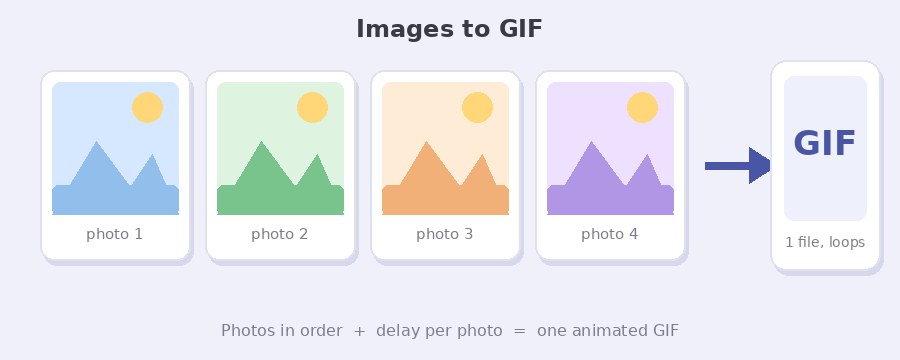
How do I turn photos into a GIF?
- Select Photos. Click the button or drag files onto the box. Use Add More Photos to bring in another batch. There is no limit on the number of photos.
- Put them in order. Each photo has up and down arrows. The GIF plays in the order you see on screen.
- Set the timing. Every photo has a Frame Delay box. While Same delay for all photos is ticked, changing one box changes them all. Untick it to time photos one by one.
- Make GIF Image. The photos are joined into one file. A download button appears with the size next to it.
Photos wider or taller than 800 pixels are scaled down so the longer side is 800 pixels. A GIF stores every frame in full, so a 20 photo GIF at that size can reach several megabytes. The tool offers a compressed copy as well when the output is large.
How long should each photo show?
Delays are set in seconds. The default is 2, which shows each photo for two seconds and reads as a slideshow. Drop to 0.5 or 1 for a quick flip between shots, or go up to 3 or more when the photos carry text people need to read.
One number rarely fits every photo. Leave Same delay for all photos ticked and type the shared value into any box, then untick it and give the one or two frames that need longer their own value. The lowest value the tool accepts is 0.05 seconds, because browsers slow any GIF frame shorter than 0.02 seconds down to 0.1 seconds on their own, so a smaller number would not play faster anyway.
What happens when the photos are different sizes?
When your photos do not share one size, two choices appear above the Make GIF Image button. Scale Fit stretches every photo to the average size of the set, which keeps the GIF small but can distort a portrait shot placed next to landscape ones. Align in Middle keeps each photo at its own size and centres it on a canvas as big as the largest one, which keeps proportions right at the cost of padding around smaller photos.
For a mixed set, crop the odd ones out first. Every frame has an Edit button with crop, flip and rotate, so you can bring a portrait photo to the same shape as the rest before you make the GIF.
Does it keep a transparent background?
Yes, when the photos have one. Leave Keep transparent background ticked and any PNG with a see-through area, or any GIF frame with transparency, comes out transparent in the finished GIF. Opaque JPG photos are not affected either way.
GIF only has one level of transparency: a pixel is either fully visible or fully hidden. Soft shadows and feathered edges in a PNG come out with a hard edge for that reason. Effects that blend, such as Fade In and Fade Out, look better on photos without transparency.
Effects, text and edits
Add Effect on any photo opens a preview with 15 effects: Fade In, Fade Out, Pop Up, Zoom In, Zoom Out, Rotate, Bounce, Pulse, Blur Effect and slide in or out from the left, right or top. Each effect has its own length, frame rate and repeat count. Write On Image adds a caption in your choice of 40 fonts, with the option of a colour bar above or below the photo so the text never covers the picture.
This page is the photo only version of the GIF maker, which also accepts video clips. If you are starting from a video, the video to GIF converter adds trimming and a frame rate control. If the finished GIF is too large for where it is going, run it through the GIF compressor.
Your photos never leave your device
Nothing is uploaded. The photos are read, resized and joined by JavaScript running on your own computer or phone, and the GIF is built there too. The only request the page makes is for the list of fonts. Close the tab and nothing remains anywhere.
Frequently Asked Questions
How many photos can I add?
There is no set limit. Each photo is scaled to at most 800 pixels on its longer side before it is joined, and the GIF is built in your browser, so the practical limit is the memory of your device. Sets of 50 to 100 photos work on a normal laptop.
Can I make a GIF from photos on my phone?
Yes. The page works in the phone browser, and Select Photos opens your camera roll. Photos from an iPhone arrive as HEIC and are accepted. Large sets take longer on a phone because all the work happens on the device.
Why is the GIF bigger than the photos I added?
A JPG keeps millions of colours in a compressed form. A GIF stores every frame as a full picture with 256 colours, so ten photos become ten full frames. Fewer photos, a smaller size or the compressed copy the tool offers all bring it down.
Can one of the frames be an existing GIF?
Yes. Add a GIF alongside your photos and each of its frames is added in sequence, keeping its own timing. Transparent frames stay transparent when Keep transparent background is ticked.
Can I turn a single image into a GIF?
Yes. Add one photo and click Make GIF Image, and you get a GIF with one frame, which is what you need when a site only accepts GIF uploads. In our test a 900 by 367 JPG came out as an 800 by 326 GIF. To make that one photo move, click Add Effect first and pick Fade In, Zoom In or any of the other effects.