Crop GIF Online - Free GIF Cropper
Drag a rectangle, crop every frame at once. Nothing is uploaded - it all runs in your browser.
 Download
Cropping a GIF means cutting the frame down - keeping the part of the picture you care about and discarding the rest. Because a GIF is a stack of full images, one rectangle has to be applied to all of them, which is exactly what this tool does. Drag a box, and every frame is cropped identically with the animation and frame timing left intact.
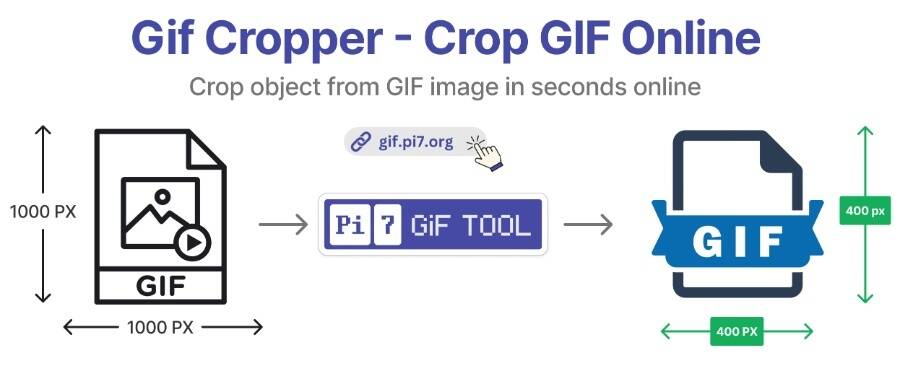
It runs entirely in your browser. Your GIF is never uploaded anywhere, which means there is no queue, no size-based paywall and no privacy question to worry about.
How to Crop a GIF Online
- Upload your GIF. Click the box above or drag a file onto it. Any size.
- Drag the crop rectangle. The first frame is shown as your reference. Draw a box around what you want to keep.
- Check the moving parts. Scrub through the animation first - see below for why this matters.
- Crop and download. Click Crop GIF and download the result.
Crop the Whole Animation, Not Just the First Frame
This is the mistake that ruins most cropped GIFs. You set the rectangle against frame one, where the subject is neatly centred - but two seconds in, the subject has walked to the left and half of it is now outside your crop. The rectangle does not follow the action; it is fixed for the entire GIF.
Before cropping, play the GIF through and find the frame where your subject is furthest from centre. Set the rectangle so that frame still works, and every other frame will be fine. If the subject moves too much for any single rectangle to contain it, you are better off resizing the whole GIF instead.
Cropping Is the Fastest Way to Shrink a GIF
Cropping is usually thought of as a composition tool, but it is the single most effective way to reduce a GIF's file size - more effective than compression, and without the quality cost.
The reason is that file size tracks pixel area. Cropping a 800x600 GIF down to 400x300 does not remove half the data, it removes about 75% of it - from every frame simultaneously. And unlike lossy compression, nothing about the retained area is degraded: the pixels you keep are bit-for-bit identical to the original.
| Original | Cropped to | Pixels remaining | Approx. file size |
|---|---|---|---|
| 800x600 | 600x450 | 56% | ~55% of original |
| 800x600 | 400x300 | 25% | ~25% of original |
| 800x600 | 400x400 | 33% | ~35% of original |
| 800x600 | 128x128 | 3.4% | ~5% of original |
The practical workflow for a large GIF is therefore: crop away dead space first, then run it through the GIF compressor. Doing it in that order means the compressor has far less to work with and can use gentler settings for the same final size.
Common Crops and What They Are For
- Square (1:1). Discord custom emoji, stickers, profile pictures and Instagram posts. Anything displayed in a square frame will letterbox or centre-crop a rectangular GIF for you, usually badly - crop it yourself and keep control.
- Vertical (9:16). Stories, Reels and TikTok. Cropping a landscape GIF this hard almost always means the subject is off-centre in some frames, so check the whole loop carefully.
- Removing letterboxing. GIFs made from widescreen video often carry black bars top and bottom. Those bars are stored in every frame and cost real bytes for nothing. Cropping them out is free size reduction.
- Cropping out a watermark. Works when the watermark sits in a corner and the composition survives losing that corner.
Why Use This GIF Cropper
- Nothing is uploaded. Cropping happens in your browser, so your files stay on your device and processing starts instantly.
- No quality loss. The retained area is not re-encoded or recompressed.
- Large files supported. No file size limit, well beyond what most online croppers accept.
- Animation preserved. Frame order, frame delays and loop settings all survive the crop.
- Genuinely free. No watermark, no sign-up, no cap on how many GIFs you crop.
Frequently Asked Questions
Does cropping a GIF reduce its file size?
Yes, and usually more than compression does. Cropping removes pixels from every single frame at once, so cutting a 800x600 GIF down to 400x300 removes 75% of the pixel data. If your goal is a smaller file rather than a different composition, crop before you compress.
Does cropping a GIF lose quality?
No. Cropping discards pixels outside the rectangle and leaves the pixels inside it untouched - there is no re-encoding of the remaining image data and no quality loss on the part you keep.
Can I crop a GIF to a square or a specific aspect ratio?
Yes. Drag the rectangle to the proportions you need. A square crop is what you want for Discord custom emoji, profile pictures and most sticker formats, since those are displayed in a square frame and an off-ratio GIF gets letterboxed or cut.
Does cropping affect the animation?
No. Every frame is cropped identically and the original frame delays are preserved, so the GIF plays exactly as it did before at the new dimensions.
Is my GIF uploaded to a server?
No. Cropping runs entirely in your browser using JavaScript. The file never leaves your device, which is also why it works instantly and has no queue.
What is the largest GIF I can crop?
There is no limit set by the tool. Very large GIFs take a few seconds longer because the work happens on your own machine rather than a server, so your device sets the practical ceiling.