Spinning GIF Maker - Make a Picture or Text Spin
Drop in a logo, sticker, photo or GIF, or type some words, set how it turns, and download a GIF that loops without a jump. Nothing is uploaded.
 Download GIF
This spinning GIF maker turns a picture, a logo, a sticker or a line of text into a GIF that goes round and round, in your browser. Pick Spin, Coin flip or Rock, set how many seconds one turn takes, choose a see-through or coloured background, and download. The frames cover exactly one turn, so the GIF loops without a jump.
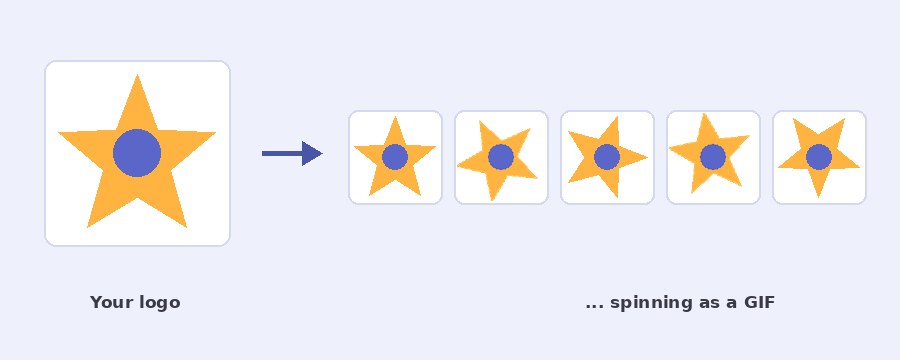
How do I make a spinning GIF?
- Select picture, or spin some text. Drop a PNG, JPG, WebP or GIF on the box. A PNG with a see-through background spins cleanest, because nothing but the picture turns. Or click Or spin some text instead, type the words and pick a font and colour.
- Choose how it moves. Spin is a flat turn, like a wheel. Coin flip turns it about its upright axis, so the back shows mirrored halfway round. Rock swings it 20 degrees to each side. Spin and Coin flip can go clockwise or the other way.
- Set the speed. The slider is the time for one full turn, from 0.3 to 6 seconds. Smoothness is frames a second, from 5 to 50: 30 is the starting point and looks smooth, 10 or 15 makes a much smaller file, and 50 is the fastest a GIF can play.
- Pick the look. Whole picture keeps every corner inside the square. Circle crops the picture to a disc, which suits photos and avatars. Then the size, from a 32 pixel favicon to 1000 pixels, with the Discord, Twitch and Telegram sizes marked, and a see-through or coloured background.
- Download GIF. The line under the preview says the size, the number of frames and the loop length. The download box offers Make it smaller if the file is large.
How do I keep the file small?
The size of a spinning GIF is frames times pixels. A 2 second turn at 30 frames a second is 60 frames, and at 512 by 512 that can pass a megabyte for a detailed photo. Three things bring it down: a smaller square (128 or 256 instead of 512 or more), fewer frames a second (10 or 15 instead of 30), and a picture with flat colours and a see-through background, which packs far better than a photo. For a Discord emoji, 128 by 128 at 15 frames a second is the usual starting point, and the download box has a Make it smaller button for the rest.
Which look should I pick?
Whole picture is for logos, stickers and text. The picture is scaled so its longest diagonal fits the square, so it looks a little smaller than the square but never loses a corner as it turns. Circle is for photos and avatars. The picture is cropped to a disc that fills the square, so a rectangular photo loses its edges but the disc looks the same at every angle. With a see-through background the disc sits clean on any chat or page.
Coin flip suits round things such as badges, coins and profile pictures, and Rock suits bells, signs and anything that should look like it is hanging. When the finished GIF has to go on a photo or another GIF, the add GIF to photo and add image to GIF pages take it from here.
Can the spinning picture be a GIF itself?
Yes. An animated GIF keeps playing while it goes round. The result lasts one loop of the GIF and makes a whole number of turns in that time, rounded from the speed you set, so the picture and the spin both land where they started and the loop stays clean. The number of turns is printed under the preview. To make the source GIF first, the GIF maker builds one from photos or a clip.
Your picture stays on your device
Nothing is uploaded. The picture is read, every frame is drawn and the GIF is written by the page itself, in your own browser. No server sees your file or your words, there is no account and no watermark. The page downloads its own code and sends nothing back, and closing the tab leaves nothing behind.
Frequently Asked Questions
Why does the GIF not jump when it loops?
The frames cover exactly one full turn, so the last frame leads straight into the first. For an animated GIF the result lasts one loop of the GIF and makes a whole number of turns in that time, so both the picture and the spin land where they started.
What size should a spinning emoji be?
Discord takes custom emoji at 128 x 128 pixels and under 256 KB. Pick 128 x 128 in the Size box, keep the transparent background, and use fewer frames a second or a slower turn if the file comes out over the limit. The Make it smaller button in the download box helps as well.
Can I spin a GIF that already moves?
Yes. Drop an animated GIF in the box and it keeps playing while it goes round. The result lasts one loop of the GIF and turns a whole number of times in that loop, so it still loops without a jump.
Why is the picture smaller than the square?
With Whole picture the corners of a turning rectangle have to fit inside the square at every angle, so the picture is scaled to its diagonal. Circle crops the picture to a disc that fills the square instead, which suits photos and avatars.