GIF to WebP Converter
Drop a GIF in and download it as an animated WebP, usually a fraction of the size, with every frame and its timing kept. Nothing is uploaded.
 Download GIF
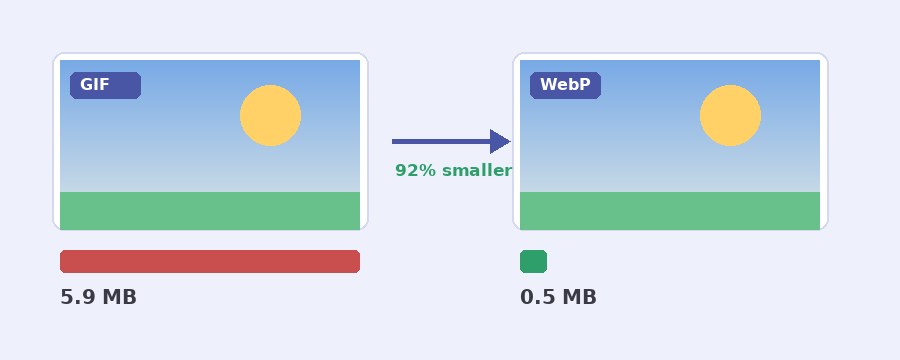
This GIF to WebP converter turns an animated GIF into an animated WebP in your browser, with no upload. Every frame and the time it shows are kept, the WebP loops for ever like the GIF, and the file is usually far smaller: in our tests a 6 MB clip from a camera came out at 0.5 MB, 92% smaller. You choose the quality, or go lossless for exact pixels, and the download box tells you how much you saved.
How do I convert a GIF to WebP?
- Select GIF. Click the button or drop the file on the box. It opens on the stage and plays.
- Set the quality. 80 is the starting point. Lower it for a smaller file, or tick Lossless for drawings and logos where every pixel should stay exact.
- Keep the timing, or change it. As the GIF keeps each frame at its own time. A lower frames-a-second figure or a different speed is there if you want them.
- Download WebP. The download box shows the new size and how much smaller it is than your GIF.
Why is a WebP so much smaller than a GIF?
GIF is from 1987. It holds 256 colours a frame and packs them with a simple method that cannot describe smooth shades, so a photo or a video clip as a GIF is mostly grainy dots stored the hard way. WebP stores each frame the way a modern photo format does: millions of colours, and a lossy setting that drops the detail your eye does not notice. On camera footage and anything with gradients that means a file several times smaller that also looks better, because it is not stuck at 256 colours.
Where the saving is smaller is flat artwork: a cartoon, a logo, pixel art. GIF was built for that and already packs it well. For those, tick Lossless, which keeps every pixel exact and still often beats the GIF.
What we measured
We ran three GIFs through this page at quality 80 and with Lossless ticked:
| GIF | Quality 80 | Lossless |
|---|---|---|
| 6 MB camera clip, 480 by 270, 103 frames | 498 KB (91% smaller) | 5.8 MB (3% smaller) |
| 591 KB drawn diagram, 600 by 450, 25 frames | 521 KB (12% smaller) | 477 KB (19% smaller) |
| 58 KB flag, 278 by 183, 4 frames | 20 KB (66% smaller) | 57 KB (3% smaller) |
The pattern holds for most files: camera clips save the most at quality 80, flat drawings save more with Lossless, and Lossless on a camera clip barely beats the GIF. If the WebP ever comes out larger than the GIF, the download box says so.
Where does an animated WebP play?
Every current browser plays it: Chrome, Edge, Firefox and Safari, on computers and phones. WhatsApp stickers are WebP files, many chat and social apps accept it, and on your own web site an animated WebP is the quick way to cut the weight of a page full of GIFs. Where it falls short is older software: most email apps, some forums and upload forms that only list GIF, PNG and JPG, and some older chat apps show it as a still or refuse it. For those, keep the GIF, or make it smaller with the GIF compressor instead. If you need a GIF again later, the WebP to GIF converter turns it back, and the Discord sticker maker covers Discord, which wants its own sizes.
Your GIF stays on your device
Nothing is uploaded. The GIF is opened, each frame is encoded and the WebP is written by the page itself, in your own browser. No server sees your file, there is no account and no watermark. The page downloads its own code and sends nothing back, and closing the tab leaves nothing behind.
Frequently Asked Questions
Will the WebP still be animated?
Yes. Every frame of the GIF goes into the WebP with the time it showed for, and the WebP loops for ever, as a GIF does. It plays in Chrome, Edge, Firefox and Safari and in most apps made in the last few years.
Why does the button not work in Safari?
Safari can show a WebP but it cannot make one inside a web page yet, and this tool makes the file on your device. Open the page in Chrome, Edge or Firefox, on a computer or a phone, and it works.
Is the see-through background kept?
Yes. A see-through GIF becomes a see-through WebP, with Keep transparent background ticked. Untick it to put a colour behind the picture instead.
Can I turn the WebP back into a GIF?
Yes, with the WebP to GIF converter on this site. Keep the original GIF if you can, though: a lossy WebP turned back into a GIF has been compressed twice and will look a little softer than the GIF you started with.