WebM to GIF Converter
Drop a WebM in, pick the part and the frames a second, and download a GIF. Nothing is uploaded.
 Download GIF
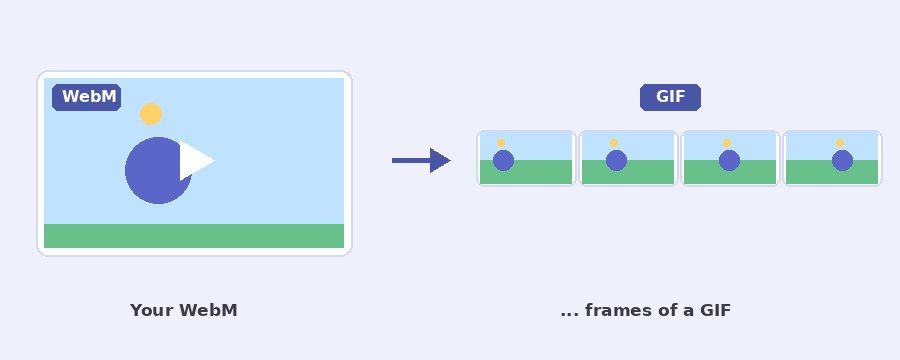
This WebM to GIF converter turns a WebM clip into an animated GIF in your browser, with no upload. WebM is the video format the web itself uses: screen recorders, Chrome, Discord, Telegram and Reddit all hand you WebM files, and a lot of places that take a GIF will not take one. Drop the clip in, pick the part and the frames a second, and download the GIF.
How do I convert a WebM to a GIF?
- Select WebM. Click the button or drop the file on the box. The clip is read at 10 frames a second and plays on the stage.
- Pick the part. Drag the two thumbs under Which part. The line under the stage says how long the GIF will be and how many frames it gets.
- Set the GIF. Frames a second, width, speed, and Forwards, Backwards or Back and forth.
- Download GIF. The part is read again from the WebM at the rate and width you set, so the file matches the settings exactly.
Where do WebM files come from, and why make a GIF?
WebM is what a browser records and what many apps send. Chrome and Edge save screen recordings as WebM, Discord and Telegram deliver clips and animated stickers as WebM, and Reddit and many forums serve their short videos that way. The catch is the other direction: email, most forums, documentation pages, Slack previews, WordPress galleries and older chat apps show a GIF anywhere but will not play a WebM inline, and some refuse the upload outright. Turning the clip into a GIF is the quick way through, and for a short clip of a few seconds the GIF is often the better share anyway, since it plays at once with no player and no tap.
Which frames a second should I pick for a WebM?
A WebM from a screen recorder or a game is usually 30 or 60 frames a second, and a GIF does not want that. GIF stores every frame in full, so the file grows in step with the rate, and 60 frames a second of a screen recording would be huge and no smoother to the eye than 15. The converter takes 5 to 25. For a screen recording, a cursor moving or a menu opening, 10 to 12 is enough. For gameplay or a camera clip with fast motion, 20 or 25 keeps it fluid at about twice the size of 12. The preview always plays at 10 a second; the download is made at the rate you set.
What about a WebM with a see-through background?
Some WebM files carry an alpha channel: stickers, overlays and motion graphics saved as VP9 with transparency. This converter draws the video the way the browser plays it, and the browser paints the clear parts black, so the GIF comes out on a black background, not see-through. If the see-through part matters, export the graphic as an animated PNG or a WebP instead, since those keep it, or make the GIF here and put it on a picture with the add GIF to photo page.
Backwards and back and forth
Backwards plays the part in reverse, the quick way to a reverse GIF. Back and forth plays it forwards and then backwards, so the loop never jumps: a nod, a wave or a zoom that would snap back to the start becomes a smooth to-and-fro. It roughly doubles the frames, because the return trip is stored too, so pair it with a short part. Speed changes how long each frame shows, not which frames are taken: half speed at 15 frames a second is a slow-motion GIF of a fast moment, double speed fits a long clip into a short GIF.
Width sets the size of the file more than anything after the length, since a GIF grows with the area: 480 pixels wide is about half the size of 640 and a quarter of 960. If the result is still heavy, the download box has Make it smaller and the GIF compressor goes further. A WebM that is not a WebM, an MP4 or a MOV, works here too because the browser plays it, but the video to GIF converter is the page written for those.
Your WebM stays on your device
Nothing is uploaded. The WebM is played, its frames are drawn and the GIF is written by the page itself, in your own browser. No server sees your clip, there is no account and no watermark. The page downloads its own code and sends nothing back, and closing the tab leaves nothing behind.
Frequently Asked Questions
Why is the GIF so much bigger than the WebM?
WebM (VP8, VP9 or AV1) stores most frames as the small change from the frame before, which is why a minute of video fits in a few megabytes. GIF stores every frame as a complete picture with up to 256 colours, so a 1 MB WebM can become a 20 MB GIF. A shorter part, fewer frames a second and a smaller width bring it down, and the download box has Make it smaller.
Does the GIF keep the sound?
No. The GIF format has no sound at all, so the audio is dropped. If the sound is the point, share the WebM itself.
Does a Discord or Telegram sticker convert?
Yes, they are WebM files. Drop the sticker in and it comes out as a GIF, and the short loop makes a small file. A sticker with a see-through background comes out on black, because the browser paints the clear parts that way while it plays.
What if the WebM will not open?
The tool uses your browser to play the file. Chrome, Edge and Firefox play WebM; Safari plays only some. If the file plays in your browser, it converts here. A WebM that is really a renamed file of another kind will not.